Resident Evil 9 Requiem - Complete Guide Hub
Your ultimate resource for Resident Evil 9 Requiem. Find complete walkthroughs, boss guides, puzzle solutions, collectibles, and speedrun strategies all in one place.
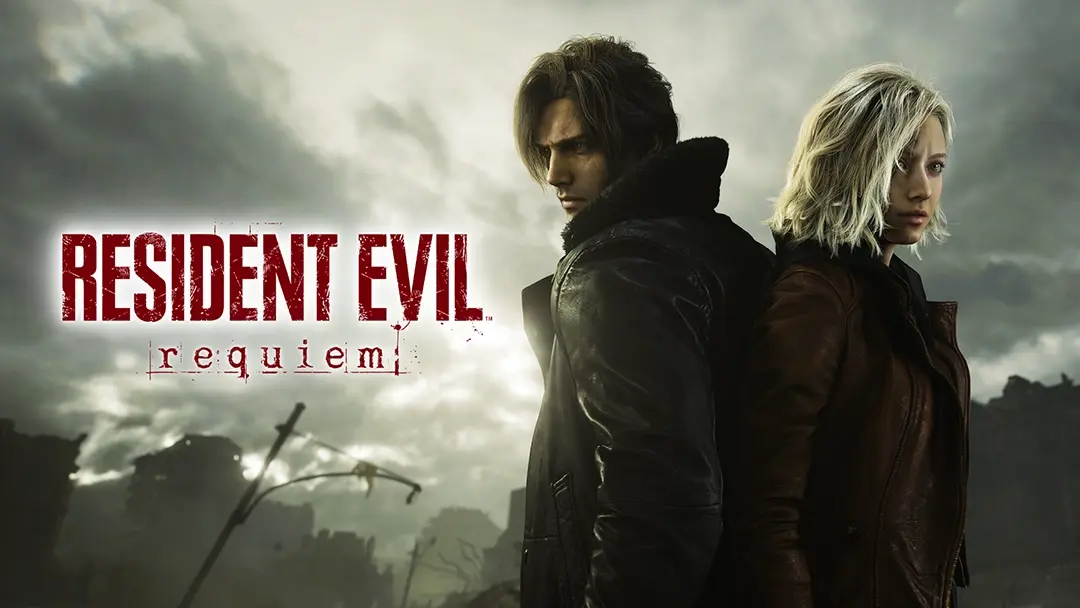
About Resident Evil 9: Requiem
Resident Evil 9: Requiem is the latest installment in the legendary survival horror franchise, ushering in a new era of terror and suspense. Experience the chilling fear alongside FBI analyst Grace, and feel the exhilaration of defeating death alongside veteran special agent Leon Kennedy.
The game features a dual-character gameplay experience with an intricate plot that revolves around both protagonists. Navigate through the haunting Rhodes Hill Mansion, survive the underground processing facilities, explore the ruins of Raccoon City, and infiltrate the mysterious ARK facility. With over 200 collectibles, challenging puzzles, and intense boss battles, Resident Evil 9: Requiem delivers the ultimate survival horror experience.
Key features include:
- Dual protagonist system with Grace and Leon
- Over 25 Mr. Raccoon collectibles and 21 Antique Coins
- Complex puzzle mechanics and safe box challenges
- Multiple difficulty modes including Insanity difficulty
- Platinum trophy path with comprehensive collectibles
- Strategic weapon and charm combination system
Essential Guides for Resident Evil 9: Requiem
Complete Walkthrough
Resident Evil 9 Requiem Complete Walkthrough
The most comprehensive chapter-by-chapter walkthrough covering every location from Wrenwood Hotel to the ARK Facility. Includes detailed step-by-step instructions for all 8 chapters, boss strategies, item locations, and critical choice points. Perfect for first-time players or those seeking a complete playthrough guide.
Collectibles & Platinum Guide
Resident Evil 9 Requiem Platinum Guide Collectibles
Your ultimate resource for achieving 100% completion and the Platinum trophy. This guide covers all 25 Mr. Raccoon puppet locations, 21 Antique Coins, complete file collection, weapon locations, safe box passwords, and combat trophy requirements. Includes detailed FAQ section for commonly missed collectibles.
Puzzle Solutions
Resident Evil 9 Requiem Full Puzzle Solution Ultimate Guide
Comprehensive solutions for every puzzle in the game, including Moon Stone puzzles, blood lab synthesis, organ transplant mechanics, ID permission upgrades, and safe box combinations. Features both Standard and Insanity difficulty passwords with step-by-step instructions.
Boss Battle Strategies
Resident Evil 9 Requiem Boss Guide and Attack Techniques
Master every boss encounter with detailed attack patterns and strategies. Covers The Butcher, Elite Monster Grier, Screamer, The Stalker, Tumor Monster, The Doctor, and the final boss Old Friend. Includes special trophy requirements like “Cat Got Your Tongue” parry mechanics.
Speedrun Optimization
What Weapon and Charm Combinations Are Most Efficient for Speed Runs
Optimize your speedrun with the best weapon and charm combinations. Learn about the Ambition Charm’s pseudo-infinite ammo potential, Sharpshooter A placement, Requiem gun tactics, and essential accessories like the Overseer’s Scope. Perfect for players attempting high-difficulty speedruns.
Trophy-Specific Guides
How to Hit 9 Targets on the High-Speed Rail Section to Unlock the Sniper Trophy
Detailed guide for unlocking the “Sniper Elite” achievement during the high-speed rail journey to Noah’s Lab. Includes precise target locations, shooting tips, and strategies for the deceptive ground-based targets that require multiple hits.
All-Weapons Guides
Resident Evil 9 Requiem All Weapons and Guns
All Weapons and Guns in Resident Evil Requiem (RE9).Whether you’re looking for a trusty sidearm or want to go absolutely crazy with hidden weapons, this guide’s got you covered.
Character Guides
RE9 Grace Gameplay: First-Person Horror Mechanics Explained
Covers Grace’s unique first-person horror mechanics, survival tips, and how to handle the terrifying sections that set her apart from Leon’s playstyle.
RE9 Grace’s Opening 30 Minutes: Complete Walkthrough for the Starting Area
Step-by-step walkthrough of Grace’s opening section — item locations, enemy encounters, and the fastest path through the starting area.
RE9 Leon S. Kennedy Combat Guide: Master the Action-Oriented Playstyle
Full breakdown of Leon’s weapon arsenal, combat mechanics, and battle strategies for his action-heavy campaign.
RE9 Leon’s First Chapter: How to Navigate the Raccoon City Streets
Complete walkthrough of Leon’s opening chapter with combat tips, item locations, and the fastest route to the RPD.
Resident Evil Requiem Dual Protagonist System: How Leon and Grace’s Stories Intertwine
Explains how the two campaigns connect, how your choices ripple across both storylines, and what to expect from the dual protagonist structure.
Locations & Exploration
RE9 Raccoon City Returns: Every New Location and Area Breakdown
Full breakdown of every new area in RE9’s Raccoon City — hidden collectibles, exploration shortcuts, and what’s changed from the classic layout.
Puzzle Guides
Resident Evil Requiem: All Puzzle Solutions — Step-by-Step Guide
Solutions to every lock, box, safe, and mechanism in the game. The go-to reference when you’re stuck on any puzzle.
RE9 Blood Lab Puzzle: Microscope Analysis Sequence Explained
The exact click sequence to solve the blood specimen microscope puzzle in the Blood Lab.
RE9 Director’s Office Puzzle Box: The ‘Let’s Play’ Code and Hidden Reward
Crack the Director’s Office puzzle box, earn 20,000 CP, and trigger the hidden “Let’s Play” Easter egg.
RE9 Final Puzzle Guide: The Severed Hand and Marie’s Doll Explained
Everything you need to solve the cryptic final puzzle and unlock the true ending.
RE9 Organ Transport Box Puzzle: How to Unlock the Basement Path
The exact switch sequence to solve the Organ Transport Box and obtain the Artificial Lung.
Safe Codes
RE9 ARK Security Room Safe Code: Unlocking the Sterilization Chamber
The exact safe combination for the ARK Sterilization Chamber on every difficulty.
RE9 Raccoon City Police Station Safe Codes: Where to Find the Numbers
The S.T.A.R.S. office safe combination and the lore trail through Files 59–61 that leads you to it.
File Locations & Lore
RE9 File Locations: Where to Find Every Document and Lore Entry
Complete locations for all 75 files and documents. Covers every area from the care facility and RPD to Raccoon City streets, the ARK, and underground sections. Includes tips for tricky ones like Wesker’s desk drawer.
Collectibles
RE9 BSAA Container Keys: How to Find and Open Every Case
Find all three BSAA containers and unlock the “Container Treasure Hunt” trophy. Covers every container location, the key, generator puzzle for Container #2, and the story-critical Repair Kit in Container #1.
March 2026 PC Technical Issues & Fixes
Since launch on February 27, 2026, Resident Evil 9: Requiem has had numerous PC-specific technical problems. Here’s a comprehensive breakdown of every known issue, error codes, and how to fix them.
Critical Launch Issues
1. Fatal D3D Error (DirectX 12 Crash)
Issue: Game crashes with “Fatal D3D” error message, often during gameplay or cutscenes.
Fixes:
- Update GPU Drivers - Install latest NVIDIA/AMD drivers (avoid NVIDIA 595.59, use 591.86 instead)
- Disable Ray Tracing - Turn off RT or Path Tracing in graphics settings
- Lower VRAM Usage - Reduce Texture Quality if VRAM exceeds 95%
- Switch to DirectX 11 - Add
-d3d11to Steam launch options (if supported) - Disable Overclocking - Return GPU/CPU to stock speeds
Why it happens: RE Engine’s aggressive memory management conflicts with certain DirectX 12 implementations, especially when VRAM limits are breached.
2. Black Screen on Startup
Issue: Game launches to black screen with no audio or UI, sometimes with cursor visible.
Fixes:
- Wait 10 minutes - Shader compilation may be running in background
- Force Windowed Mode - Edit config file or use Alt+Enter
- Set Refresh Rate to 60Hz - Temporarily in Windows Display Settings
- Delete Config File - Navigate to
steamapps/common/Resident Evil Requiemand deleteconfig.ini - Disable Fullscreen Optimizations - Right-click re9.exe → Properties → Compatibility
Why it happens: RE Engine shader compilation on first boot causes heavy CPU load that appears as a freeze.
Source: XMODhub, PCGamingWiki
3. Repeated Unhandled Exception Error
Issue: Game crashes with “Unhandled Exception” error code, often related to DirectStorage.
Fixes:
- Disable DirectStorage - Some users report success disabling this feature in BIOS
- Verify Game Files - Steam → Properties → Installed Files → Verify integrity
- Delete Storage Folder - Remove
storagefolder in game directory (forces regeneration) - Update Windows - Ensure latest Windows 10/11 build with DirectStorage support
- Check NVMe Drive Health - Use CrystalDiskInfo to verify SSD functionality
Why it happens: RE Engine’s DirectStorage implementation conflicts with certain NVMe drivers or corrupted game files.
Source: Reddit r/residentevil, YouTube
4. Crash on Startup with REFramework
Issue: Game crashes immediately when REFramework mod (dinput8.dll) is installed.
Fixes:
- Remove REFramework - Delete
dinput8.dllfrom game directory - Wait for Update - REFramework may not support latest game version (1.110.000+)
- Use Nightly Build - Download REFramework nightly with bdshemu linker fix
- Check Mod Compatibility - Verify all mods are updated for current patch
Why it happens: REFramework hooks conflict with game’s anti-tamper or updated executable.
Source: GitHub praydog/REFramework #1619, Nexus Mods
Performance Issues
5. Severe Stuttering and Frame Time Spikes
Issue: Micro-stutters when navigating rooms, cutscene transitions, or specific areas.
Fixes:
- Lower Graphics Settings:
- Texture Quality: Low or Normal
- Frame Generation: OFF
- Ray Tracing: OFF
- Mesh Quality: Low
- Volumetric Fog Resolution: Lowest
- Ambient Occlusion: Off or Low
- Disable Resizable BAR - BIOS setting (especially for AMD users)
- Update GPU Drivers - Roll back to NVIDIA 591.86 if using 595.59
- Install on SSD - Required for proper asset streaming
- Clear Shader Cache - Delete shader cache files, restart PC
- Close Background Apps - Disable overlays, recording software, security scans
Why it happens: Frame time spikes caused by storage streaming, shader cache issues, or graphics settings exceeding GPU capacity.
Source: Sportskeeda, Hone.gg, Digital Foundry
6. Path Tracing Performance Issues
Issue: Unplayable framerates when Path Tracing is enabled, even on high-end hardware.
Fixes:
- Switch to RT High/Normal - Path Tracing to RT High delivers up to 350% performance boost
- Enable DLSS/FSR - Use Quality or Balanced mode for upscaling
- Reduce RT Quality - Lower from Ultra to High or Normal
- Disable for Competitive Play - Turn off entirely for smoother gameplay
Performance Impact (RTX 4070 Ti Super):
- Path Tracing: ~30-40 FPS
- RT High: ~60-70 FPS
- RT Normal: ~80-90 FPS
- RT Off: ~120+ FPS
Source: Digital Foundry, Screen Rant
7. Shader Compilation Stutter (First Launch)
Issue: Game appears frozen on first boot with black screen for 5-15 minutes.
Fix:
- Wait Patiently - Do NOT force close; shader compilation is running
- Watch for Progress - Some systems show subtle loading indicators
- Subsequent Launches - Issue only occurs on first boot or after driver updates
Why it happens: RE Engine compiles shaders on first launch, causing heavy CPU load and temporary freeze.
Source: XMODhub, PCGamingWiki
Audio Issues
8. Complete Silence / No Sound
Issue: Game launches but produces no audio whatsoever.
Fixes:
- Change Windows Sample Rate:
- Press Windows key → Type “Change system sounds”
- Playback tab → Right-click active device → Properties
- Advanced tab → Set Default Format to 24-bit, 48000 Hz (Studio Quality)
- Click Apply and restart game
- Verify Game Files - Missing audio bank files common with packet loss during download
- Update Audio Drivers - Download latest Realtek/motherboard drivers (not Windows Update defaults)
Why it happens: RE Engine conflicts with audio formats exceeding 24-bit/48000 Hz, causing game to mute itself.
Source: XMODhub
9. Audio Stuttering and Desync
Issue: Sound effects stutter during combat; cutscene dialogue out of sync with lip movements.
Fixes:
- Disable Spatial Sound:
- Right-click speaker icon → Sound settings
- Output device → Spatial sound → Set to “Off” (not Windows Sonic or Dolby Atmos)
- Toggle off “Enhance audio”
- Switch to Stereo Output:
- Sound Control Panel → Select playback device → Configure
- Audio channels → Select “Stereo” (not 5.1/7.1 surround)
- Change In-Game Dynamic Range:
- Options → Audio → Dynamic Range
- Set to “Headphones” or “Small” (not “Home Cinema” or “Large”)
- Disable Peripheral Software:
- Turn off Razer Synapse, Logitech G Hub, Corsair iCUE virtual audio drivers
- Disable “Virtual Surround” or “Audio Enhancement” in headset software
Why it happens: Spatial audio enhancements conflict with RE Engine’s native binaural processing; surround sound output to stereo headset drops center channel dialogue.
Source: XMODhub
10. Missing Cutscene Dialogue
Issue: Characters move mouths but no voices are heard during cutscenes; background music and SFX work fine.
Fixes:
- Force Stereo Mode (see Fix #9 above)
- Change Dynamic Range to Headphones (see Fix #9 above)
- Disable Windows Sonic/Dolby Atmos (see Fix #9 above)
- Check Audio Output Device - Ensure not routing to monitor/TV HDMI audio
Why it happens: 5.1/7.1 surround output to stereo headset drops center channel where dialogue is mixed.
Source: XMODhub
Visual Issues
11. Visual Bugs with Certain GPU Drivers
Issue: Graphical artifacts, texture flickering, or incorrect lighting with specific driver versions.
Fixes:
- Update to Latest Drivers - March 27, 2026 patch fixed visual bugs on some GPUs
- Roll Back Problematic Drivers - NVIDIA 595.59 caused issues; use 591.86
- Disable Frame Generation - Some users report visual glitches with FG enabled
- Verify Game Files - Corrupted texture files may cause visual issues
Source: Capcom Official, PCGamingWiki
12. Settings Changes Require Restart
Issue: Changing Texture Quality, RT Quality, or Strand Hair System requires full game restart to apply.
Workaround:
- Plan settings changes before starting gameplay session
- Use preset configurations to minimize restarts
- Accept as engine limitation (not fixable by users)
Why it happens: RE Engine limitation - certain settings require engine reload to apply properly.
Source: Digital Foundry
March 2026 Patch History
Patch 1.110.000 (March 13, 2026)
First major update - Released one week after launch.
Key Fixes:
- Path Tracing performance improvements
- Fixed visual bugs occurring with some GPU drivers
- Fixed bug that caused game to crash in some circumstances
- Localization and UI improvements
- Bug fixes for game progress blockers
File Size: ~1.4 GB (PC)
Known Issues:
- Breaks mod compatibility (REFramework and other mods may not work)
- Some players report new stuttering issues post-patch
Source: Screen Rant, DSOGaming, Capcom Official
Patch 1.120.000 (March 27, 2026)
Second major update - Released three weeks after launch.
Key Fixes:
- Character expression tweaks in certain scenes
- PC Only: Fixed certain crashes
- PC Only: Fixed visual issues on some GPU drivers
- Various stability improvements
Console Versions:
- PlayStation 5: 1.755 GB
- Xbox Series X|S: Similar size
Community Reports:
- Requiem ammo swap glitch resolved
- Instant kill glitch on select enemies resolved
- Ray-tracing bug on PS5 (varied reports on fix status)
Source: Reddit r/residentevil, Capcom Official
Minor Hotfix (March 9, 2026)
Emergency hotfix - Released three days after launch.
Details: Minor fixes (specifics not publicly documented)
Source: Capcom Official
Day One Patch (March 6, 2026)
Launch day patch - Released alongside game.
Details: Critical launch fixes and optimizations
Source: PCGamingWiki
PC System Requirements (Updated March 2026)
Minimum (1080p / 30 FPS / Low Settings)
| Component | Requirement |
|---|---|
| OS | Windows 10/11 64-bit |
| Processor | Intel Core i7-8700 / AMD Ryzen 5 3600 |
| Memory | 16 GB RAM |
| Graphics | NVIDIA RTX 2060 (6 GB) / AMD RX 5700 XT (8 GB) / Intel Arc A770 (16 GB) |
| DirectX | Version 12 |
| Storage | 70 GB available space (SSD Required) |
| Additional Notes | SSD mandatory for proper asset streaming |
Recommended (1080p / 60 FPS / High Settings)
| Component | Requirement |
|---|---|
| OS | Windows 11 64-bit |
| Processor | Intel Core i7-12700K / AMD Ryzen 7 5800X3D |
| Memory | 16 GB RAM |
| Graphics | NVIDIA RTX 3080 (10 GB) / AMD RX 6800 XT (16 GB) |
| DirectX | Version 12 |
| Storage | 70 GB NVMe SSD |
Ray Tracing / Path Tracing (1440p / 60 FPS)
| Component | Requirement |
|---|---|
| OS | Windows 11 64-bit |
| Processor | Intel Core i7-13700K / AMD Ryzen 7 7800X3D |
| Memory | 32 GB RAM |
| Graphics | NVIDIA RTX 4070 Ti Super (16 GB) / RTX 5080+ |
| DirectX | Version 12 |
| Storage | 70 GB NVMe SSD (PCIe 4.0+) |
Important Notes:
- SSD is mandatory - HDD not supported due to asset streaming requirements
- Resizable BAR - May cause stuttering on some AMD systems; try disabling in BIOS
- DirectStorage - Requires Windows 11 and NVMe SSD for optimal performance
Source: Capcom Official, PCGamesN, Digital Foundry
General Troubleshooting Checklist
If experiencing issues not covered above, try these steps in order:
- Verify Game Files - Steam → Properties → Installed Files → Verify integrity
- Update GPU Drivers - Use DDU for clean install; avoid NVIDIA 595.59
- Update Windows - Ensure latest Windows 10/11 build
- Install Visual C++ Redistributables - Download from Microsoft
- Disable Overlays - Turn off Discord, Steam, GeForce Experience
- Close Background Apps - Especially recording software, RGB control apps
- Check Temperatures - Use HWMonitor to rule out thermal throttling
- Delete Config File - Force regeneration of
config.ini - Disable Fullscreen Optimizations - Compatibility tab on re9.exe
- Run as Administrator - Right-click → Properties → Compatibility
Official Support:
Stay updated with the latest developments, master gameplay mechanics, and never miss exclusive rewards. Bookmark this page for all your Resident Evil 9: Requiem needs!
Frequently Asked Questions
How long does it take to complete Resident Evil 9 Requiem?
A standard playthrough of Resident Evil 9 Requiem takes approximately 12-15 hours for the main story. Completing all collectibles, side objectives, and achieving the Platinum trophy can extend playtime to 25-30 hours. Speedruns with optimal weapon and charm combinations can complete the game in under 4 hours.
How many collectibles are in Resident Evil 9 Requiem?
Resident Evil 9 Requiem features over 200 collectibles including 25 Mr. Raccoon puppets, 21 Antique Coins, numerous files and documents, weapon upgrades, safe box items, and special charms. All collectibles are required for 100% completion and the Platinum trophy.
What are the best weapon and charm combinations for speedruns?
The most efficient speedrun setup uses the Ambition Charm for pseudo-infinite ammo, Sharpshooter A placement for critical damage, the Requiem gun for boss encounters, and the Overseer's Scope accessory. This combination allows for fast enemy elimination while conserving resources during high-difficulty runs.
Can I miss collectibles and still get the Platinum trophy?
Yes, you can miss collectibles on your first playthrough. Resident Evil 9 Requiem allows you to replay chapters to collect missed items. However, some collectibles like Mr. Raccoon puppets and Antique Coins are chapter-specific, so you'll need to replay those chapters if you miss them. Use our comprehensive collectibles guide to avoid missing any items.
What difficulty should I play on for my first playthrough?
Standard difficulty is recommended for first-time players, offering a balanced challenge with manageable resource scarcity and enemy difficulty. Insanity difficulty significantly increases enemy health, changes puzzle solutions, and reduces resources - it's best attempted after completing the game once. Casual difficulty is available for players who want to focus on the story.
About the author

Editor-in-Chief
Founder and Editor-in-Chief of gameguidesbox.com, began surfing the web in the late 19th century. Passionate about movies, coffee, gaming, and life itself. Favorite games include Titanfall 2, Baldur's Gate 3, Metro, PUBG, and CS2.
You may also like
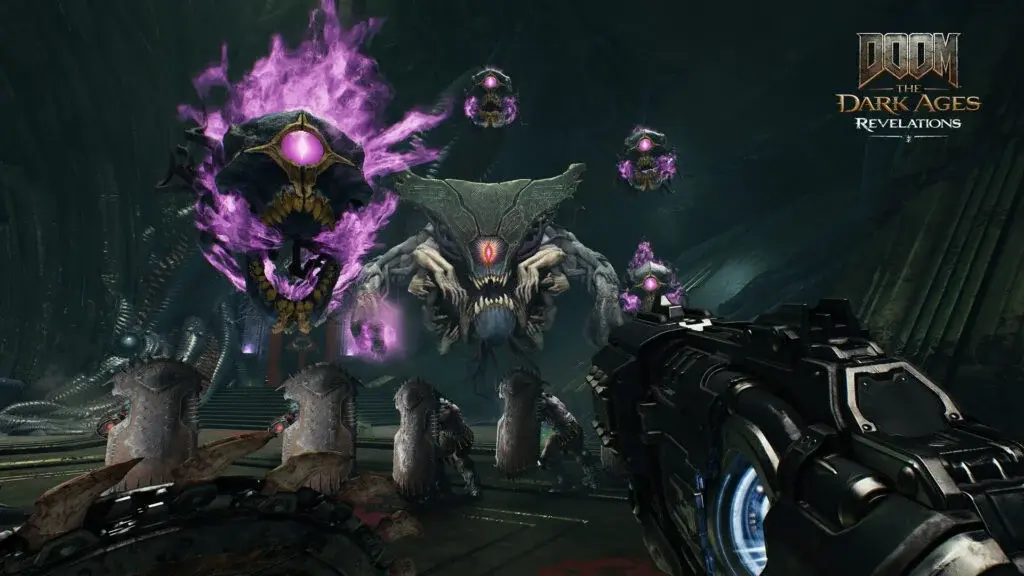
DOOM: The Dark Ages - Complete Guide Hub
Your ultimate resource for DOOM: The Dark Ages. Find complete walkthroughs, Chain Spear upgrades, Warlock strategies, endgame routes, and all DLC content guides in one place.
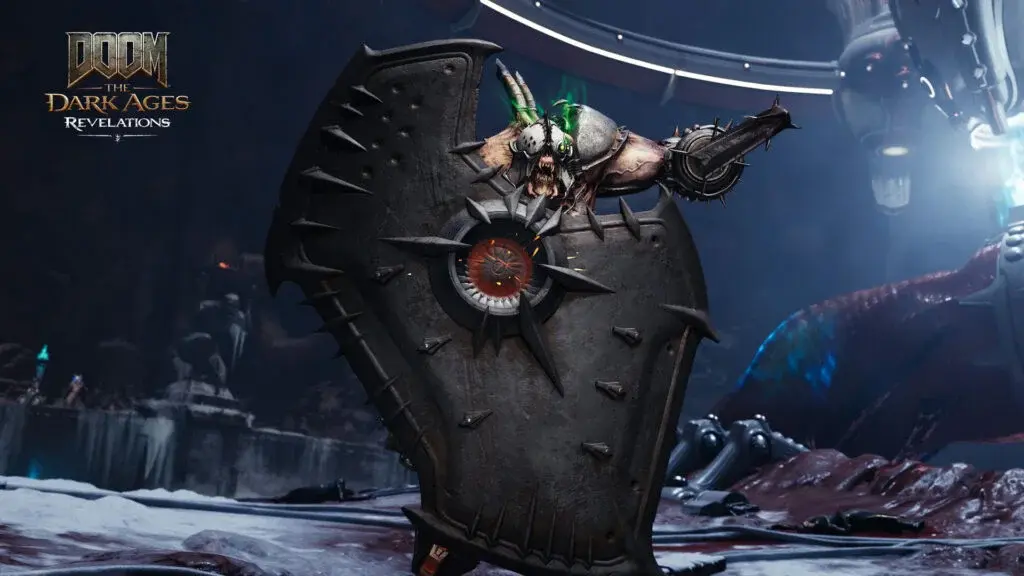
DOOM Revelations: Chain Spear vs Shield Saw for Every Fight
Stuck deciding between the Chain Spear and Shield Saw in Revelations? I ran both through all 7 missions on Ultra-Violence. Here's exactly when to use each and when to swap mid-fight.
DOOM Revelations Master Key: Complete Endgame Route in 6-8 Hours
Master Key done? This route covers Blood Iron, Classic Levels, Slayer Trials, Ritual of Power, then hands off to the Astral Boss Key. Verified on 2 cycles.
Comments