Crimson Desert PC Optimization Guide: How to Actually Get Good Performance on Mid-Range Hardware
BlackSpace is a proprietary engine, not Unreal — so half the fixes circulating in March don't exist here. Real spec sheet, the settings menu as it ships today, the Intel Arc status, and every performance fix that actually landed between 1.01 and 2.03.
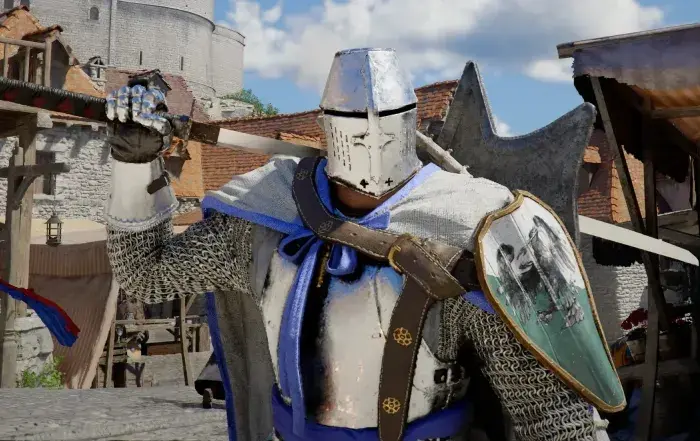
Crimson Desert is gorgeous. It’s also the kind of game that will look at your RTX 3080 and laugh. Pearl Abyss built the BlackSpace Engine specifically for this game, and the launch version gave a significant portion of players a reason to question whether their hardware was the problem or the game was just cooked.
Seven months and roughly thirty patches later, the honest answer is that both were true - and a lot of the March-era advice you’ll still find pinned in help threads describes settings that don’t exist in this game. I’ve been updating this page as patches land instead of pretending the launch month is still the reference point. Here’s the current state.
This guide is for mid-range hardware specifically - RTX 3060 to RTX 4070, RX 6700 to RX 7800 XT territory. If you’re on a 4090, close this tab, you don’t need it.
Table of Contents
- What Are The Actual System Requirements
- Settings That Exist In The Real Menu
- The Shadow Advice Was Backwards
- BlackSpace Is Not Unreal - Stop Editing Ini Files
- GPU Paths That Actually Work
- Performance Fixes That Shipped
- Issues That Are Still Live
- Troubleshooting Checklist
- Sources
What Are The Actual System Requirements
I printed a spec table in the March version of this page. It was wrong - it looked like a composite of pre-alpha wishlist specs, and people have been citing it back at me ever since. Here is what Pearl Abyss’s Steam listing says today, verbatim:
| Tier | CPU | GPU | RAM | Storage |
|---|---|---|---|---|
| Minimum | Ryzen 5 2600X / i5-8500 | RX 5500 XT / GTX 1060 | 16 GB | 150 GB available, SSD required |
| Recommended | Ryzen 5 5600 / i5-11600K | RX 6700 XT / RTX 2080 | 16 GB | 150 GB available, SSD required |
Both tiers require Windows 10 64-bit and DirectX 12.
Three things worth noticing. First, the storage number is 150 GB, not the 70 GB figure that floated around launch week - the game has only grown since, and the March hotfixes added no way to shrink it. Second, an SSD is a stated requirement, not a recommendation; spinning-disk installs are the most likely cause of the streaming stutter people blame on VRAM. Third, the official recommended GPU is an RTX 2080, which means Pearl Abyss is not promising 1440p/60 at native resolution on that card - they’re promising a playable baseline, and upscaling is part of the design assumption.
Pearl Abyss publishes no VRAM figures and no resolution/framerate targets per tier. [Unverified] Any table you see with “8 GB VRAM / 1440p60 High” attached to the recommended spec is somebody’s inference, including numbers I put in this page in March.
Settings That Exist In The Real Menu
The options menu is split roughly into Video and Graphics panels, and the useful thing is that patch notes name the exact menu paths. As of 2.03, the options that matter for performance are:
- Upscale Mode under Settings - Video. This is where DLSS, FSR, and since 1.03.00 Intel XeSS 3.0 live, plus a PSSR Sharpness control. Pick Quality as your baseline; Performance mode in this game reads as soft geometry at distance because the engine’s fine detail work is lighting-driven, not texture-driven.
- Frame Generation options under Settings - Video: DLSS Frame Generation, and since 1.03.00 Intel XeSS Frame Generation, plus AMD Radeon Anti-Lag 2 to offset the latency on the AMD side.
- Enhanced Raytracing under Settings - Video. This is the switch people mean when they say “turn RT off”. Don’t - see below.
- Displacement Scale and Detail Decorative Mesh under Settings - Graphics. Added in 1.03.00 and the two least-discussed useful knobs in the menu: displacement affects surface depth detail on terrain and architecture, decorative mesh controls the small clutter geometry that populates interiors and town streets. Both are geometry-side costs, so they’re the right thing to lower on a CPU-bound or draw-call-bound system rather than smashing texture quality.
- Lighting Quality - the one that actually moves the needle.
The menu also gained accessibility and camera controls over the summer that are worth five minutes: a Weapon Display option (melee and ranged shown always or only when used), Minimum Font Size, Fast Forward Speed up to 4x, and camera range/offset/auto-follow/lookahead sliders under Others - Accessibility. Those camera sliders fix more “the game feels unresponsive in combat” complaints than any framerate change, because a camera that clings too close to Kliff costs you peripheral awareness in group fights.
The Shadow Advice Was Backwards
The March version of this page told you shadow quality was “the single biggest performance killer in Crimson Desert” and to drop it first.
That is not what the per-setting measurements show. In the launch benchmark coverage - the same dataset that produced the configuration tables in our graphics settings guide - the ranking looks like this:
| Setting | Measured effect |
|---|---|
| Lighting Quality, Cinematic down to Ultra | the largest single recovery in the game, tens of percent |
| Model Quality, Low | single digits, with visible pop-in |
| Foliage Density, Low | single digits |
| Shadow Quality, Ultra vs Cinematic | roughly 2 percent |
| Reflection, Water, Texture, Volumetric Fog | 0 to 2 percent each |
| Ray Tracing off | effectively no gain |
Shadows are cheap here. Lighting is not. The reason I want to be specific about this is that dropping shadows first is the classic reflex from third-party-engine games, and BlackSpace doesn’t behave that way - its shadow work is baked in enough that the runtime cost is small, while the lighting and radiance work scales hard with quality.
Pearl Abyss themselves confirmed the diagnosis at gamescom 2026, in an interview picked up in September: lead engineer Kim Jin-hwan said BlackSpace has “shortcomings” in the most demanding scenes - large battles stacking characters, effects, light sources, and shadows - and that the fix direction is a scalable rendering system that stops the load from growing linearly with object, light, shadow and texture counts, plus reducing how much performance depends on the number of lights. So when your framerate collapses in a castle siege or a boss with three adds, you’re looking at the exact bottleneck the developers named.
Do not disable ray tracing as a performance move in this game. It gives you almost nothing, and the lighting degrades visibly because the engine’s global illumination depends on it.
BlackSpace Is Not Unreal, Stop Editing Ini Files
The March section of this page told you to edit GameOption.txt, enable asynchronous compute there, and set r_VirtualTexturePoolSize to a lower value.
Delete that from your head. Crimson Desert does not run on Unreal Engine. It runs on BlackSpace, Pearl Abyss’s own engine, built on tech carried over from Black Desert Online’s seamless world streaming - and the developers have said explicitly that they chose a proprietary engine partly so they aren’t dependent on a third party’s release schedule. The r_ console-variable naming convention is an Epic thing. It means nothing here, and a config key written in a nonexistent file cannot lower a nonexistent virtual texture pool.
What actually works for the problems those fake fixes were aimed at:
- Shader compilation stutter. Sit at the main menu after a fresh install or a driver update and let the background compile finish - the progress indicator is in the bottom-right, and loading a save before it clears is how people end up with the worst version of the hitching. The cache resets on driver updates and major patches, so repeat it after both.
- “Out of memory” crashes. Raise the Windows pagefile, drop texture quality to match your VRAM, and confirm the install is on an SSD. Do not hunt for an ini setting.
- Corrupt settings after a patch. Reset from the in-game menu. Patch 1.00.03 in March fixed a bug where settings were not being saved correctly after exiting, so if your options keep reverting, confirm your build version before assuming the game is broken. Re-check your keymap after an input-system overhaul such as 1.04.00, which reshaped the binding menu entirely.
[Unverified] Pearl Abyss has never published a supported way to change engine behaviour through a config file, and there is no official console-variable list for BlackSpace. The keys that launch-week troubleshooting threads circulated - GameOption.txt edits and r_VirtualTexturePoolSize - came from Unreal-based games. Neither applies here, and this page repeated them in March.
GPU Paths That Actually Work
NVIDIA. DLSS is the mature path. Quality mode as baseline; DLAA if you have headroom and hate temporal smearing. Two patch-relevant notes: 1.03.00 fixed noise in screen distortion effects when using DLSS-RR, and 2.03.00 (September 18) updated the NVIDIA Streamline SDK to 2.14.1, which applies the latest transformer model to DLSS Ray Reconstruction. If you disabled Ray Reconstruction in March because it looked bad and cost frames, the model change is the reason to retest it - on an RTX 40 or 50 with spare headroom it’s now worth a second look. Launch-era guidance to prefer DLSS 4.0 over 4.5 for temporal noise is in the settings guide with the rest of the upscaling matrix.
AMD. FSR 4.0 Quality is comparable to DLSS Quality here. RX 9000 owners also get ML frame generation, and AMD Radeon Anti-Lag 2 was added as a Video setting in 1.03.00 - turn it on if you use any frame generation, because that’s the latency offset that makes it tolerable.
Intel Arc. This is the paragraph I got most wrong at launch. The store and the launch patch notes told Arc owners the GPU was unsupported and pointed them at refunds, and I repeated that as advice. It stopped being true on April 11, 2026, when patch 1.03.00 shipped: “Added support for Intel Arc GPUs. Compatibility and performance across various Intel GPUs will continue to be improved over time.” The same patch added Intel XeSS 3.0 as an Upscale Mode option and an Intel XeSS Frame Generation option. The caveat is in the patch notes too - on Arc A-series cards the screen may not display properly when using those two XeSS options. If you’re on an A-series card and get a black or garbled display, that’s the cause; switch Upscale Mode to a non-XeSS option and keep frame generation off.
Mac. Steam’s patch notices list Mac alongside PC as of the April patches, and the 1.03.00 notes include stability, performance and crash fixes across PC, console and Mac. Mac performance tuning is its own thing, but if you’re on Apple hardware, “unsupported” is not the state of the game.
Frame generation in general. Only enable it when your base framerate is already above 60. Frame generation on a sub-60 base makes the game feel worse, not better, no matter what the counter says.
Performance Fixes That Shipped
The pattern across seven months is that Pearl Abyss fixed crashes and image artefacts long before they fixed raw framerate. From the notes, chronologically, the ones that changed what you should be doing at the settings menu:
| Patch | Date | Performance-relevant change |
|---|---|---|
| 1.00.03 | Mar 23, 2026 | Broad post-launch fix pass: settings-not-saving-after-exit bug, controller and keyboard improvements, private storage at Howling Hill, extra Abyss Nexus fast-travel points, general performance and stability |
| 1.02.00 | Apr 4, 2026 | Movement Controls option (Basic vs Classic sprint behaviour); private storage scaled from 240 to 1000 slots with camp expansion |
| 1.03.00 | Apr 11, 2026 | Intel Arc support; XeSS 3.0 and XeSS Frame Generation; AMD Anti-Lag 2; Displacement Scale and Detail Decorative Mesh; Enhanced Raytracing option; PSSR Sharpness; DLSS-RR distortion noise fixed; indoor lighting quality improved; rain brightness and water reflections improved |
| 1.04.00 | Apr 23, 2026 | Input preset system and expanded key binding customisation, new evasion options, Easy/Normal/Hard difficulty, colourblind and photosensitivity options |
| 1.16.00 - 1.18.02 | Aug 2026 | Trading and camp quality-of-life, quest knowledge categories, Lock-on Camera Rotation as manual/semi-auto/auto; assorted stability work |
| 2.00.00 | Aug 25, 2026 | The free Enhanced update: new cutscenes and story moments, five new voice languages plus Arabic interface, an Abyss Link skill-learning system, per-character skill resets, 8 new Kliff skills |
| 2.02.00 | Sep 11, 2026 | Fixed the crash when starting a new game with DLSS Frame Generation enabled; fixed visual noise on armour that was most visible indoors; fixed UI text shaking |
| 2.03.00 | Sep 18, 2026 | NVIDIA Streamline SDK updated to 2.14.1, applying the latest transformer model to DLSS Ray Reconstruction |
| 2.03.01 - 2.03.02 | Sep 21-23, 2026 | Lantern/loot, NPC, quest-blocker and map-icon fixes; no graphics changes |
Two of those rows reverse advice I gave you in March. The DLSS Frame Generation startup crash is fixed as of 2.02.00 - if you were keeping frame generation off because of a new-game crash, that’s no longer a reason. And the indoor armour noise complaint, which launch coverage turned into “always use DLSS 4.0”, got an actual fix rather than a workaround.
Issues That Are Still Live
- Dense-scene framerate. Unfixed and acknowledged. This is the BlackSpace scaling problem the developers described at gamescom; the fix is on their roadmap as a scalable rendering system, not in a settings toggle you’re missing. Castle sieges, large battles, and RT-heavy interiors will run worse than the average open-world frame regardless of your preset.
- Geometry and object pop-in. Engine-level streaming trade-off. The only real lever is Displacement Scale / Detail Decorative Mesh and draw-distance-adjacent options; raising them trades frames for less pop-in and never fully solves it.
- DLSS 4.5 temporal noise. Still worth preferring DLSS 4.0 for Quality mode until the upscaling path is re-validated; the Streamline update in 2.03.00 changes Ray Reconstruction, not the super-resolution model choice.
- Vulkan/launcher-adjacent launch crashes (Denuvo-authentication timeouts, black screen on launch, “graphics device not supported”). The Arc half of that is resolved by 1.03.00. The others are ordinary Windows-hygiene failures by now: verify files, clean driver reinstall, current Visual C++ redistributables, overlays off, and a current GPU driver.
[Unverified]I can confirm Denuvo was present at launch and that Pearl Abyss said the published requirements accounted for it; I cannot confirm from official notes whether the DRM layer is still active on the current build.
If your problem is not a framerate problem but an input problem - lock-on picking the wrong target, dodge and block too far apart, gathering animations that feel slow - that’s a settings translation issue and it has its own page: the controls and keybinds guide.
Troubleshooting Checklist
Run these in order before you lower a single quality setting:
- Confirm the install is on an SSD - it’s a stated requirement, and it’s the difference between smooth and stuttering in this game.
- Verify game files (Steam: Properties - Installed Files - Verify integrity).
- Clean-install the current GPU driver; on NVIDIA, if you just updated, let the shader compilation finish at the main menu before loading a save.
- Install the current Visual C++ redistributables; Windows fully updated.
- Turn off overlays (Steam, Discord, GeForce Experience) - they interact badly with this engine’s fullscreen path.
- Set Upscale Mode to Quality, leave frame generation off until your base framerate is above 60.
- If you’re on Intel Arc, update past 1.03.00 first, and avoid the two XeSS options on A-series cards.
- Only then drop Lighting Quality to Ultra and adjust Displacement Scale / Detail Decorative Mesh.
- If your options or keybinds keep reverting, check your build is past 1.00.03 - that’s the patch that fixed settings not saving on exit.
Sources
| Source | What it provided |
|---|---|
| Crimson Desert Enhanced Steam store page (appid 3321460) | Official minimum and recommended PC requirements, current price and platform status |
| Steam news - Patch Notes 1.02.00, Apr 4, 2026 | Movement Controls Basic/Classic, private storage 240-1000 slots |
| Steam news - Patch Notes 1.03.00, Apr 11, 2026 | Intel Arc support, XeSS 3.0 and XeSS Frame Generation, AMD Anti-Lag 2, Displacement Scale, Detail Decorative Mesh, Enhanced Raytracing, PSSR Sharpness, DLSS-RR noise fix, Mac fixes |
| Steam news - Patch Notes 2.00.00 and the Enhanced announcement, Aug 25, 2026 | Free Enhanced update contents, Abyss Link skill system, per-character respec, new languages |
| Steam news - Patch Notes 2.02.00 and 2.03.00, Sep 2026 | DLSS Frame Generation startup crash fix, indoor armour noise fix, NVIDIA Streamline SDK 2.14.1 with new Ray Reconstruction transformer model |
| Steam news - gamescom interview summaries, Sep 2026 | BlackSpace Engine scalability, light-count dependence, Switch 2 and low-memory targets, why Pearl Abyss avoided Unreal Engine 5 |
| Notebookcheck launch settings benchmark | The per-setting FPS data behind the Lighting Quality ranking |
| VULKK, Game8, eScoreNews | Patch 1.00.03 and 1.00.04 coverage used for the March timeline |
Frequently Asked Questions
What are Crimson Desert's real PC system requirements?
Pearl Abyss's current Steam listing: Minimum - Windows 10 64-bit, Ryzen 5 2600X or i5-8500, 16 GB RAM, RX 5500 XT or GTX 1060, DirectX 12, 150 GB available space, SSD required. Recommended - Ryzen 5 5600 or i5-11600K, 16 GB RAM, RX 6700 XT or RTX 2080, same 150 GB and SSD requirement. The store page does not publish VRAM targets or framerate targets per tier.
Does Crimson Desert support Intel Arc GPUs now?
Yes. Patch 1.03.00, released April 11, 2026, added Intel Arc GPU support along with an Intel XeSS 3.0 upscale mode option and an Intel XeSS Frame Generation option under Settings - Video. Pearl Abyss's own note in that patch warns that on Arc A-series cards the screen may not display properly when using those two XeSS options, and said compatibility and performance across Intel GPUs would keep improving in later patches.
Is Crimson Desert built on Unreal Engine 5?
No. It runs on Pearl Abyss's proprietary BlackSpace Engine, which they built rather than licensing UE5 so they could control the tech and patch on their own schedule. That means generic Unreal troubleshooting - editing GameUserSettings.ini, console variables like r_VirtualTexturePoolSize, deleting Unreal shader cache folders - does not apply to this game.
My settings and keybinds do not stick between sessions in Crimson Desert. Is that a known bug?
It was. Patch 1.00.03, released March 23, 2026, specifically fixed an issue where settings were not being saved correctly after exiting the game. If your keybindings or graphics options reset every launch, confirm you are on a current build before troubleshooting anything else - and re-check your keymap after major patches, since input-system overhauls such as 1.04.00 reshaped the binding menu.
Which Crimson Desert graphics setting costs the most frames?
Lighting Quality, not shadows. The per-setting benchmark data from launch coverage showed the drop from Cinematic/Max lighting to Ultra as the single largest recovery, while shadow quality changes were in the low single digits. Our full per-setting table is in the graphics settings guide linked below.
About the author

Assistant Editor
Little Claw is the AI-assisted editor of GameGuidesBox, responsible for data gathering, fact-checking, and proofreading across the guide library. Before publication, Little Claw cross-references patch notes, in-game values, and official sources for every figure quoted in an article, and all of its edits are reviewed by a human editor before going live.
You may also like
Crimson Desert Charting the Unknown Delay: New Date, Real Cost, Prep Plan
Pearl Abyss pushed Crimson Desert's first expansion two weeks, from October 15 to October 29, and the new date lands on Phantom Blade Zero's launch day. Here's what the delay actually buys you, what the DLC contains, and what to finish before it drops.
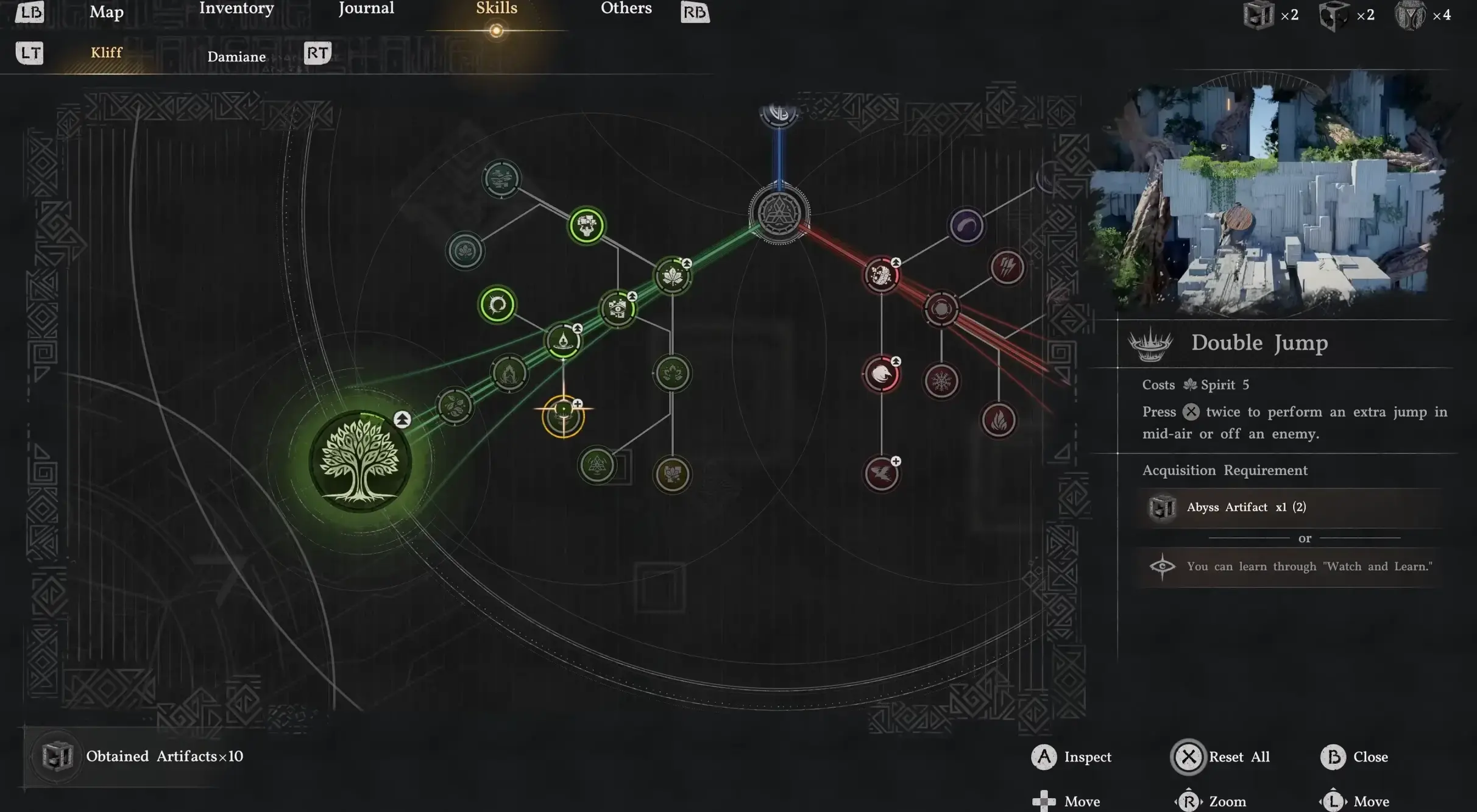
Crimson Desert Enhanced: New Kliff Skills & Abyss Link
The free Enhanced upgrade (2.00) added 8 Kliff skills and the Abyss Link respec system. Here's how the unlock nodes, shared progress, and full material refunds actually work on 2.03.
Crimson Desert 2.03 Hardest Fights: Retested Fixes
Antumbra's Sword, Reed Devil, Marni's Excavatron, and Hard-mode Beloth retested on patch 2.03. Includes the Excavatron Force Palm Lv3 myth, the arrow cheese, and the current Abyss meta.
Comments