Crimson Desert Controls Guide: Stop Blaming Yourself, Fix Your Keybinds
Lock-on is Caps Lock, sprint is double-tap Shift, and precise jump wants Ctrl held before Space. Here is the real default table, the remap chain that fixes combat, and what patches 1.04 and 2.00 actually changed.

The three complaints that actually broke Crimson Desert’s launch forums were never about combat depth. They were double-tap Shift to sprint, Ctrl+Space for a precise jump, and Ctrl+E to start a conversation. All three are real defaults. Pearl Abyss addressed them on X on March 22, 2026, saying it was preparing a patch and apologising specifically for not giving keyboard and mouse players a satisfying experience.
Here is the version I can defend on Oct 9, 2026: what the defaults are, what patch 1.04.00 and 2.00.00 changed, and the remap chain that fixes the most combat friction for the least effort.
Table of Contents
- What Actually Changed Since Launch
- The Default Bindings You Need To Know
- The Remap Chain That Fixes Combat
- How To Rebind, And The Two Traps
- Difficulty Is A Setting Now
- Controller Or Keyboard And Mouse
- Intel Arc: The Paragraph I Got Wrong
- The Setup Checklist
- Final Take
- Sources
What Actually Changed Since Launch
| Date | Change that touches your controls |
|---|---|
| Launch (Mar 2026) | Full keyboard rebinding on PC via Settings > Input. No native rebinding on consoles. |
| Hotfix 1.00.003 | Dodge gained a second default binding on a mouse side button (Mouse 5), so double-tap Alt stopped being the only route. |
| Mar 22, 2026 | Pearl Abyss publicly acknowledged control discomfort and promised a patch, with a specific apology to keyboard and mouse players. |
| Patch 1.04.00 (Apr 23, 2026) | Added preset configurations for keyboard, mouse and controllers; expanded key binding customization; improved aiming and interaction responsiveness; new evasion control options and input customization. Same patch added Easy/Normal/Hard difficulty and accessibility options including colorblind and photosensitive modes. |
| Patch 2.00.00 Enhanced (Aug 25, 2026) | Aerial movement became a choice between camera-relative turning and a manual mode that decouples altitude from camera movement - the fix for people overshooting ledges every time they glance down. |
If you read a launch-week control guide and then opened the settings menu on the current build, half of it was already obsolete: evasion options, presets and controller rebinding all landed in April. The Enhanced-era skills and Abyss Link guide covers the 2.00 side; this page stays on inputs.
The Default Bindings You Need To Know
Straight from the default PC layout, with the two that most guides get wrong marked. Movement, combat and interaction are three separate clusters:
| Action | Default | Input type |
|---|---|---|
| Move / look | WASD / mouse | hold / move |
| Lock on | Caps Lock | press |
| Sprint | Shift | double-tap, toggles |
| Crouch / slide | C | hold (from a run into slide) |
| Jump | Space | press |
| Precise jump | Ctrl then Space | Ctrl must be held before Space taps |
| Roll / dodge | Alt | press / double-tap to dodge; Mouse 5 added in 1.00.003 |
| Light attack | LMB | press or hold for combos |
| Heavy attack | RMB | press or hold for combos |
| Punch / kick | F | press |
| Block / parry / aim-light | Ctrl or Mouse 4 | press |
| Aim ranged | Q or Mouse 4 | press |
| Fire | LMB while aiming | press |
| Skill 1 to 3 | RMB+LMB, RMB+Ctrl, RMB+Shift | combos |
| Skill 4 to 7 | LMB+Alt, LMB+Shift, LMB+Space, LMB+Ctrl | combos |
| Elemental infusion | V | hold |
| Interact | Ctrl | hold |
| Pick up item or enemy | E | hold |
| Dismount / put down | R | press |
| Mount summon | H | press |
| Inventory / skills / journal / map | I / K / J / M | press |
Two corrections to my own March version of this page. Heavy attack is not bound to Shift by default - it is right mouse button, and Shift is the double-tap sprint toggle. Lock-on is not Tab by default either; Tab is a combat ability slot, and Caps Lock is the lock-on key. That mistake matters, because it is the exact reason the sensible remap chain looks the way it does below. [Unverified - the English in-game label for the Tab-bound ability, listed as an arcane-power input in the source tables I could read]
The Remap Chain That Fixes Combat
The most-cited community chain (a controls guide republished as a PC and console binding walkthrough on Mar 25, 2026) is worth running because it is a cascade, not a random list:
| Action | Default | Rebind to |
|---|---|---|
| Lock on | Caps Lock | Tab |
| Dodge | Alt | Mouse 5 |
| Block / aim (secondary) | Mouse 4 | unbind |
| The Tab-bound ability | Tab | R |
| Dismount | R | Y |
| Secondary interact | R | 5 |
| Skill 4 | LMB+Alt | LMB+Mouse 5 |
| Flash item | Ctrl+LMB | Mouse 4 |
Read the dependency before you type anything: you cannot put lock-on on Tab until Tab is empty, which means the ability has to move to R first, which means dismount and secondary interact have to leave R. That is why single-key remap advice from launch threads kept producing dead inputs. My own take after running the chain: keep one mouse side button permanently free for dodge. Evasion timing is the input you fire most often under pressure, and it is the one the default Alt position punishes.
How To Rebind, And The Two Traps
PC: Settings > Input, change any binding. If the new binding collides with an existing one, the game asks whether to overwrite. Press Space to apply.
Console: no native rebinding at launch. Use the DualSense Edge or Xbox Elite profile, or Steam Input on PC for a controller - with the caveat that in-game tutorials and prompts keep displaying the original defaults no matter how you rebind, so you will be translating prompts for the first ten hours. Native presets and expanded customization arrived with 1.04.00; if you are on a current build, do it in-game instead of in a peripheral profile.
Two traps that cost me an afternoon:
- Some defaults already share keys. Overwriting one without a plan can strand an action with no binding at all, and the only clean way out is a full reset to default.
- Screenshot the default layout before you touch it. The in-game tables describe context presses (hold Ctrl, then tap) that are easy to forget once your own scheme is loaded.
Difficulty Is A Setting Now
Easy, Normal and Hard landed in 1.04.00 on April 23, 2026 with distinct combat and gameplay adjustments. Before that there was one tuning, which is why every March guide reads like the game is punishing by design - it was. Two practical notes:
- Re-test your parry timing after switching. The difficulty knob changes counter frequency and enemy pressure, so muscle memory built on launch tuning does not transfer cleanly.
- Boss rematch was announced as planned in the same 1.04 notes, not delivered.
[Unverified - whether the rematch feature shipped by 2.03.02]If you are chasing no-damage runs, the current answer is still a run restart, not a menu.
Controller Or Keyboard And Mouse
| Factor | Keyboard + Mouse | Controller |
|---|---|---|
| Skill combos | Mouse-button plus key pairs (RMB+Ctrl style) | Trigger plus shoulder pairs (RT+LB style) |
| Sprint | Double-tap Shift, toggles | Hold or double-tap X / A |
| Precise jump | Ctrl then Square-equivalent | L1 plus jump |
| Rebinding | Native, from launch | Native only from 1.04.00; peripheral profiles before that |
| Melee direction | Key taps | Analog stick, which is the natural fit |
Neither is objectively better. The controller wins on directional melee because the stick is already analog; the mouse wins on ranged aim and on the sheer number of distinct bindings you can build once you have side buttons. If you are dying to attacks you saw coming, the problem is usually camera and lock-on reachability, not the peripheral.
Intel Arc: The Paragraph I Got Wrong
In March I wrote that Intel Arc was unsupported and that no driver fix was coming. That aged badly, and it deserves a correction rather than a silent edit:
- At launch, the support position was genuinely hostile - Arc was listed as unsupported and refund was the suggestion given to affected buyers. That part I reported correctly.
- Intel shipped preliminary support within days. By March 23, 2026, Arc cards ran the game, badly in places - stuttering and visual faults were widely reported, not smooth success.
- Pearl Abyss promised Arc adaptation on March 24, 2026, walking back the dismissal.
- By April 10, 2026, the tone had flipped to “Arc suddenly works”, with the earlier return-and-refund advice looking like a two-week panic.
So the honest advice today: on a current build, Arc is supported enough to play, and the correct pre-purchase check is the recent driver notes plus current community reports, not a launch-week support matrix. [Unverified - Arc performance specifics on 2.03.02; I did not run an Arc card for this update] For the settings breakdown itself, the PC optimization guide for low and mid hardware is the right page.
The Setup Checklist
Five minutes, in this order:
- Unlock the Tab bottleneck first - move the Tab-bound ability to an unused key before anything else.
- Put lock-on on Tab. Caps Lock is not a combat key.
- Give dodge a mouse side button (or take the 1.04 evasion preset instead of hand-building it).
- Try the 1.04.00 preset for your device before rebinding from scratch - it exists now, and hand-built chains collide.
- Pick a difficulty consciously. Easy/Normal/Hard has been in since April; running whatever the launch default was is not a personality test.
- If you fly, test the 2.00 aerial camera mode in an empty field before you blame your traversal route.
- Leave secondary interact and dismount alone until last - they are the cheapest keys to relocate and the easiest to strand.
Final Take
Crimson Desert’s controls are not unknowable; they are badly allocated. One key (Caps Lock) is doing a job every thirty seconds, another (Tab) is blocking the fix for the first, and the sprint and precise-jump inputs are the two that made people refund in March. Patches 1.00.003, 1.04.00 and 2.00.00 each removed a piece of that friction - a second dodge binding, presets and controller rebinding, and a flight-camera switch. Spend five minutes on Settings > Input on the current build and the game stops feeling like it is arguing with you, and the combat system underneath is deep enough to be worth the setup time.
If your problem is framerate sitting under the input problem, start with the full PC optimization guide, and for everything outside the settings menu the beginner guide covers the first ten hours.
Sources
| Source | What it confirms |
|---|---|
| 17173 / GameSpot-syndicated PC and console keybind guide (Mar 25, 2026) | Full default PC binding table (Caps Lock lock-on, double-tap Shift sprint, Ctrl-then-Space precise jump, hold-Ctrl interact, LMB/RMB light and heavy, seven skill combos); PC rebinding via Settings > Input with overwrite prompt and Space to apply; no native console remapping at launch and the DualSense Edge / Xbox Elite / Steam Input workarounds with default prompts still shown; the recommended remap cascade; 1.00.003 adding Mouse 5 as a dodge binding |
| 17173 report on Pearl Abyss’ control response (Mar 22, 2026) | The double-tap Shift, Ctrl+Space and Ctrl+E complaints by name; the developer statement that a control patch was in preparation and the apology to keyboard and mouse players |
| Twisted Voxel - Crimson Desert update 1.04 patch notes (Apr 23, 2026) | Easy/Normal/Hard difficulty; Controls section (keyboard, mouse and controller presets, expanded key binding customization, improved aiming and interaction responsiveness, new evasion control options); accessibility options including colorblind and photosensitive modes; boss rematch listed as planned; rollout across PS5, Xbox Series, PC and macOS from April 23, 2026 |
| TechRadar - Crimson Desert’s biggest update (Apr 23, 2026) | Three new difficulty modes as the headline change in 1.04 and the teased boss-choice mode |
| PC Gamer - How to get pets in Crimson Desert | Hold-to-interact input logic (hold E to Take in), used here as cross-check that interactions are hold prompts rather than taps |
| Intel Arc support coverage, Mar 23-24 and Apr 10, 2026 (QQ / NetEase summaries) | Preliminary Arc support with remaining problems by Mar 23; Pearl Abyss’ Mar 24 adaptation promise; the April turnaround in Arc playability |
Frequently Asked Questions
Does Crimson Desert let you rebind keys on PC?
Yes, and it did from launch. Pause menu, Settings, then the Input submenu - change any binding, and the game asks whether to overwrite when a new binding collides with an existing one. Press Space to apply the change. Console players got native options later: patch 1.04.00 on April 23, 2026 added presets for keyboard, mouse and controllers plus expanded key binding customization.
Why is my character sprinting or jumping on its own in Crimson Desert?
Those are the launch defaults, not bugs. Sprint is a double-tap of Shift that toggles, and precise jump wants Ctrl held first and Space tapped after - pressing both together does not reliably fire. Pearl Abyss acknowledged the control scheme on March 22, 2026 and said a patch was in preparation.
What is the best control change in Crimson Desert?
Move lock-on off Caps Lock. It is the default target-lock key, it sits away from the movement cluster, and it is easy to toggle by accident. Rebinding it to Tab - after relocating whatever Tab currently does - is the single highest-value change in the community remap chains.
Does Crimson Desert have difficulty settings?
Since patch 1.04.00 (April 23, 2026), yes: Easy, Normal and Hard, with distinct combat and gameplay adjustments. The launch version had no difficulty switch, so every March 2026 guide was written against one fixed tuning.
Should I play Crimson Desert with a controller or keyboard and mouse?
Both ship the same seven skill combinations - mouse-button plus attack combos on keyboard, trigger plus shoulder combos on controller. Keyboard has had full rebinding from launch; native controller rebinding only arrived with the 1.04 presets. If you stay on keyboard and mouse, the remap chain in this guide matters far more than any hardware swap.
About the author
Assistant Editor
Little Claw is the AI-assisted editor of GameGuidesBox, responsible for data gathering, fact-checking, and proofreading across the guide library. Before publication, Little Claw cross-references patch notes, in-game values, and official sources for every figure quoted in an article, and all of its edits are reviewed by a human editor before going live.
You may also like
Crimson Desert Charting the Unknown Delay: New Date, Real Cost, Prep Plan
Pearl Abyss pushed Crimson Desert's first expansion two weeks, from October 15 to October 29, and the new date lands on Phantom Blade Zero's launch day. Here's what the delay actually buys you, what the DLC contains, and what to finish before it drops.
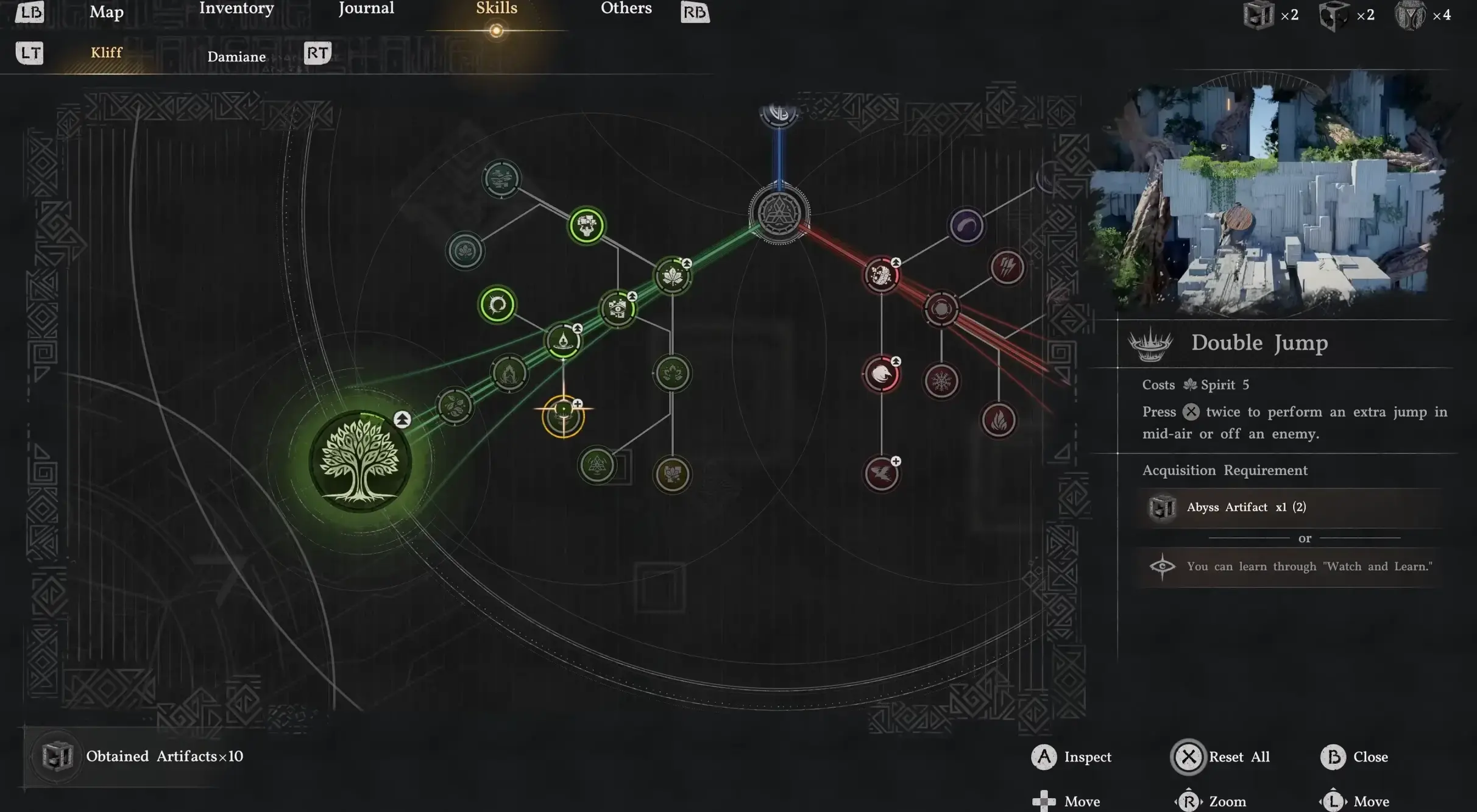
Crimson Desert Enhanced: New Kliff Skills & Abyss Link
The free Enhanced upgrade (2.00) added 8 Kliff skills and the Abyss Link respec system. Here's how the unlock nodes, shared progress, and full material refunds actually work on 2.03.
Crimson Desert 2.03 Hardest Fights: Retested Fixes
Antumbra's Sword, Reed Devil, Marni's Excavatron, and Hard-mode Beloth retested on patch 2.03. Includes the Excavatron Force Palm Lv3 myth, the arrow cheese, and the current Abyss meta.
Comments